
SEO Audit Checklist for Beginners
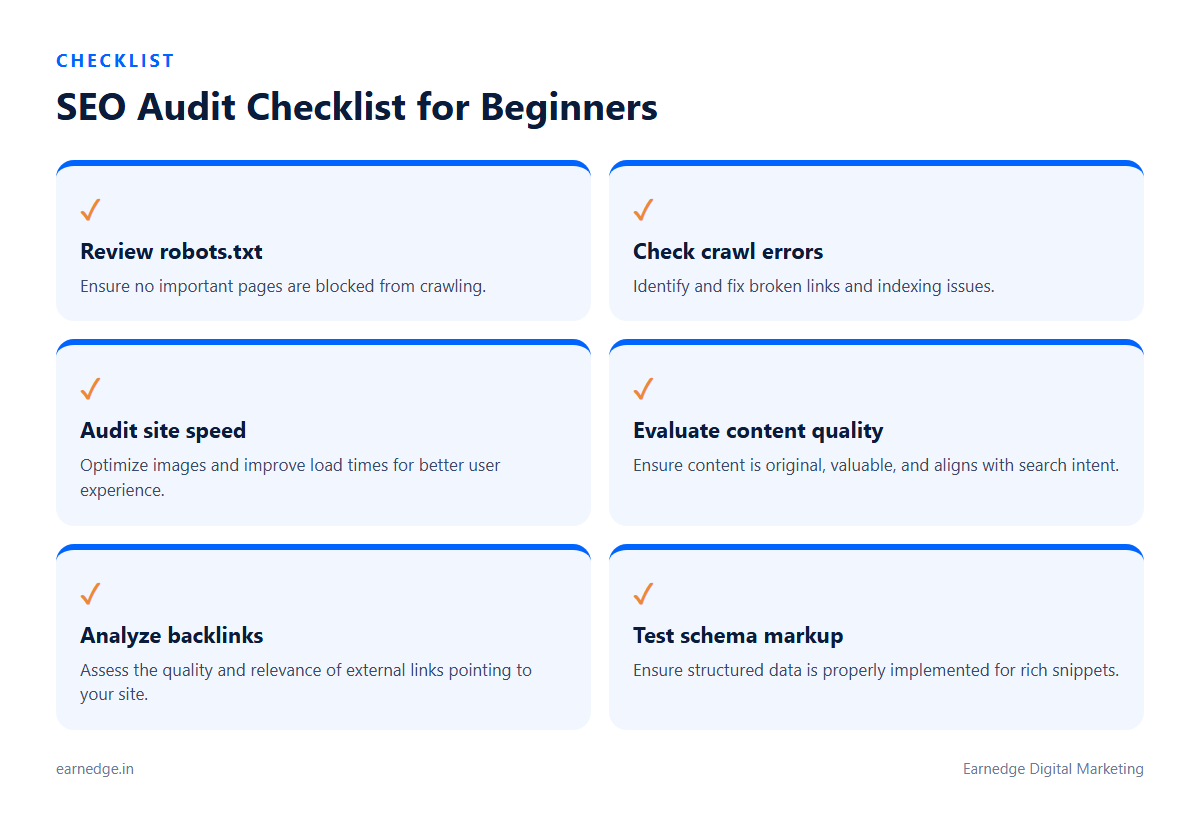
An SEO audit is a structured review of your website’s technical health, content and search visibility. This checklist walks beginners through the checks that matter most: crawling and indexing, technical setup, on-page content, internal links and the tools you need.
What an SEO audit is and why it matters
An audit finds what stops your pages from being crawled, ranked or converting. SEO specialists usually run one quarterly or yearly, and an outside consultant can add a fresh view.
Audits now cover more than broken links and page speed. They also look at how your brand shows up in generative search: entity signals, visibility in AI-generated answers and how your content performs in those formats. Start with business goals rather than a list of technical tasks, then dig for root causes on the pages, templates and metrics that affect traffic, conversions and pipeline.
The three parts of an audit
An SEO audit covers three areas. Technical SEO checks that the site is crawlable, indexable and fast. On-page SEO checks that content and HTML elements match search intent, including content quality. Off-page SEO covers external signals such as backlinks and social signals, and usually means backlink analysis and outreach.
Tools for an SEO audit
You can start with free tools. Google Search Console gives you performance, indexing and coverage reports, and Google Analytics shows traffic and engagement. Screaming Frog crawls a site for technical issues, and its free version covers up to 500 URLs. HubSpot Website Grader gives a quick health overview, and HubSpot AI Search Grader checks AI visibility and entity clarity. Paid suites such as Moz Pro can surface issues across many pages.
For local sites, also review Google Business Profile Insights, Google Analytics 4 data and citation consistency. Our guide to local SEO reporting shows what to track.
Technical SEO checklist
Start with crawl errors and broken links, since they can block search engines from your content.
- Open
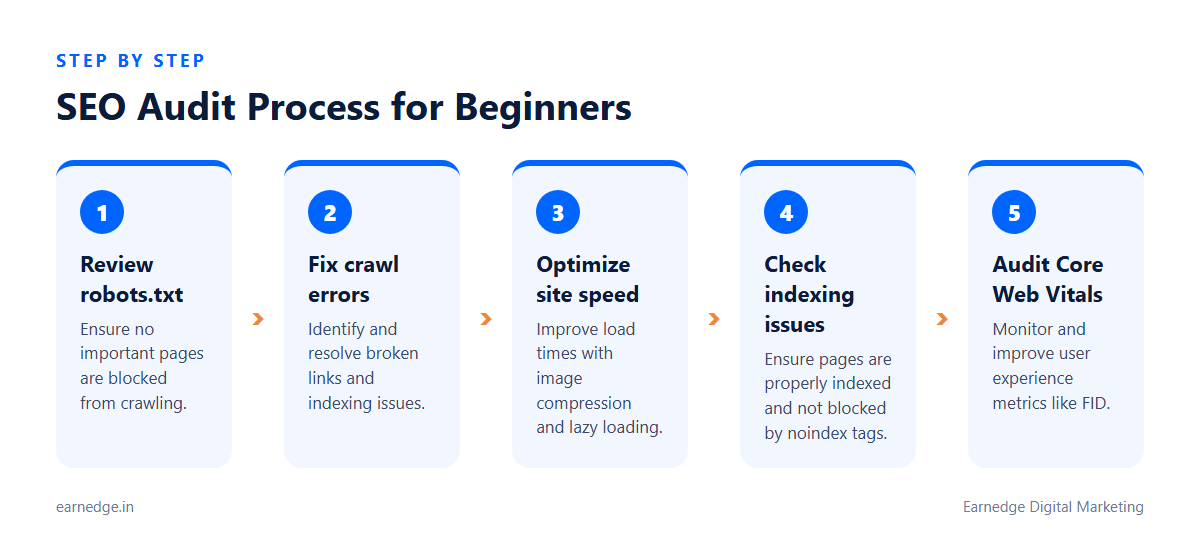
robots.txtand look for disallow rules that block important pages. - Fix broken internal links and avoid redirect chains. One redirect is clearer than several.
- Check for accidental noindex tags that keep pages out of the index.
- Compress images and use lazy loading to improve load time without developer help.
- Watch Core Web Vitals in Google PageSpeed Insights: Largest Contentful Paint, Cumulative Layout Shift and Interaction to Next Paint, which replaced First Input Delay.
- Keep URLs clean and the site structure logical.
Fix these first. Everything else depends on search engines being able to reach and read the site. See our explainer on generative engine optimization for how AI answer engines use that content.
On-page SEO checklist
Follow Google’s quality guidelines: no sneaky redirects or cloaking, and original pages so that duplicate content does not push them out of results.
- Check that target keywords and related phrases appear in the URL, title tag, meta description, headline, subheadings, body text and image alt text, without stuffing.
- Give each page one accurate title tag. Keep meta descriptions short, engaging and include the primary keyword where it fits. Both affect click-through rate.
- Add schema markup for key templates such as articles, products and FAQs, and confirm it is implemented correctly. It can earn rich results.
- Use headings to give each page a clear flow that matches user intent.
Internal links and URL structure
Internal links help users and search engines move through your site. Clean, descriptive URLs that reflect your content hierarchy help search engines understand the pages and make links easier to maintain. Orphaned pages, which no internal link points to, are hard to find and hurt site structure. Do not link to 404 pages, since they frustrate users and waste link equity. Review internal links and URLs on a regular schedule.
FAQ
How long does an SEO audit take?
Most take two to eight weeks, depending on the site’s size, complexity and the detail required.
Who should run an SEO audit?
An SEO specialist should lead it, not a developer, although developers are usually needed to implement the fixes.
How often should I run one?
Quarterly or yearly, based on how fast your site changes.