LinkedIn Lead Generation for B2B: A Practical Guide
LinkedIn lead generation for B2B comes down to three things: a profile and content that earn trust, outreach that starts conversations, and tools that save search time. This guide covers groups, connection requests, Sales Navigator, LinkedIn Ads targeting and how to qualify a lead before you message them. If you want a wider view of the channel mix, our overview of B2B lead generation services in India sets it in context.
What LinkedIn lead generation is
It is the process of finding business contacts on LinkedIn and turning them into leads. It suits B2B because one purchase usually involves several people, such as IT, finance, operations and business development. Each group has different priorities, so you can tailor the message to the function. Prospects on LinkedIn are also there in a work mindset, which makes conversations about solutions easier to start than on most platforms.
Five steps for using LinkedIn Groups
Groups give you a place to build authority with people who already care about your topic.
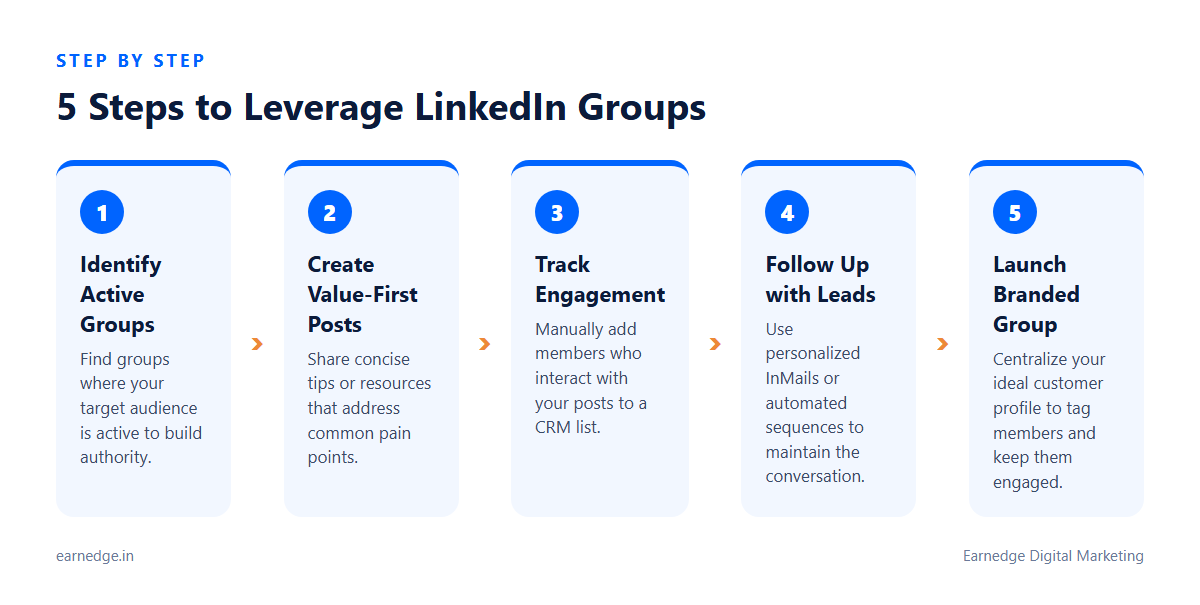
- Find groups where your target audience is active.
- Post value-first content: short tips or resources that answer a common problem, with an invitation to comment.
- Track engagement by adding members who interact with your posts to a “LinkedIn Groups” list in your CRM. A Chrome extension such as folkX can push contact details to the CRM for you.
- Follow up with a personalized InMail or an automated email sequence.
- Launch a branded group of your own to gather your ideal customers, tag members automatically and keep them engaged with your content.
Connection requests that get accepted
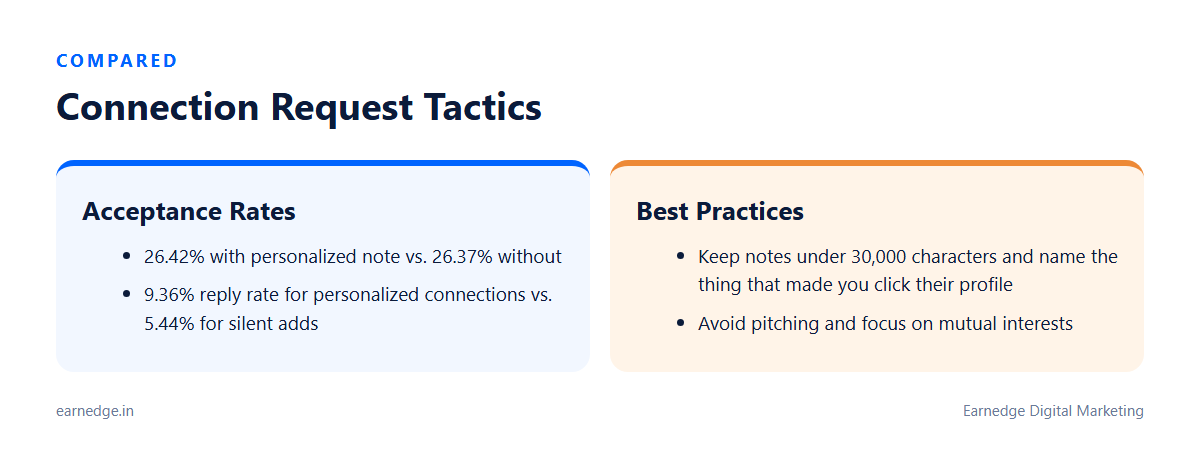
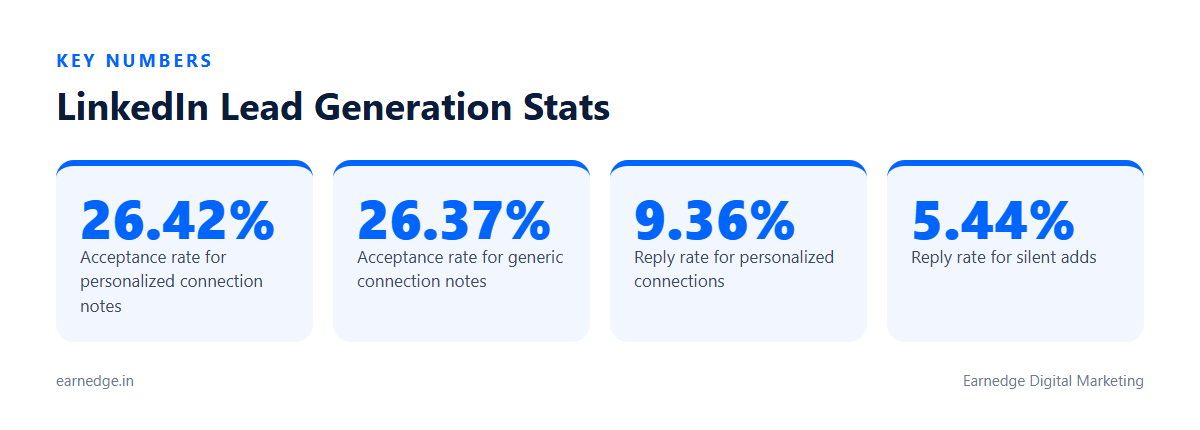
A personal note barely changes acceptance: 26.42% with a note against 26.37% without. The difference shows up after the connection. People who received a note replied at 9.36%, against 5.44% for those added silently. The note is there to start a conversation.
Keep the note under 300 characters, mention what made you look at their profile, and do not pitch. Fifteen to twenty requests a day keeps you inside LinkedIn’s weekly invite limit. Two templates that work:
- “Hi [Name], I saw you’re working on [topic], which aligns with my work at [company]. Can we connect?”
- “Hi [Name], I noticed you’re active in [industry], which is exactly what I’m focused on. Can we connect?”
Slow outreach beats fast outreach, and pipeline usually takes six to eight weeks to become dependable. Two risks to plan for: paid leads cost more on LinkedIn than almost anywhere else, and results stay tied to a personal profile, which leaves with the employee.
Is Sales Navigator worth it for a small team?
Its filters, saved lists and alerts mainly save search time. A solo operator running a few searches a week gets most of the same reach from free LinkedIn and Boolean operators. The lower Core tier gives you InMail credits and profile-viewer data, but no lead search, saved lists, alerts or CRM sync.
The per-seat price adds up quickly for agencies, there is a learning curve before the filters pay off, and it has little value when your prospect pool is small. It works best for manufacturing and industrial suppliers, where procurement titles are easy to filter. It works least well for low-ticket products, consumer sales, and buyers who are not on LinkedIn, such as trades, hospitality and most local retail.
Targeting and retargeting with LinkedIn Ads
LinkedIn Ads let you define audiences by job title, industry or company size. Retargeting narrows that to people who have already engaged with your content or visited your site. Install the LinkedIn Insight Tag on your website to track page views and conversions, then build audiences such as “Ebook downloaders” or “Pricing page visitors” and write different messages for each.
Watch impressions, clicks, click-through rate and conversion rate in Campaign Manager. Pause ads that lag and move budget to the ones that convert. Pricing varies with industry, campaign objective and targeting, and technology and finance usually cost more because competition for qualified leads is higher. Our Google Ads management services page covers paid campaign management.
Lead scraping tools and LinkedIn’s own tools
Scraping tools extract contact details from profiles, which is a fast way to build a list. They tend to lack context, and outreach built on them is often less personal, so engagement can suffer. LinkedIn’s own tools, such as Sales Navigator, offer filters by job title, industry and company size and connect to CRMs, which helps you track conversations. Which one fits depends on your goals and how much personalization your outreach needs.
Qualifying a lead before you reach out
Check the profile for relevance and signs of engagement. Look at recent activity: a prospect who engages with content related to your offer is more likely to answer a personalized message. Then add what your CRM already knows about past interactions. This keeps your time on the people most likely to respond.