
Google Business Profile Optimization
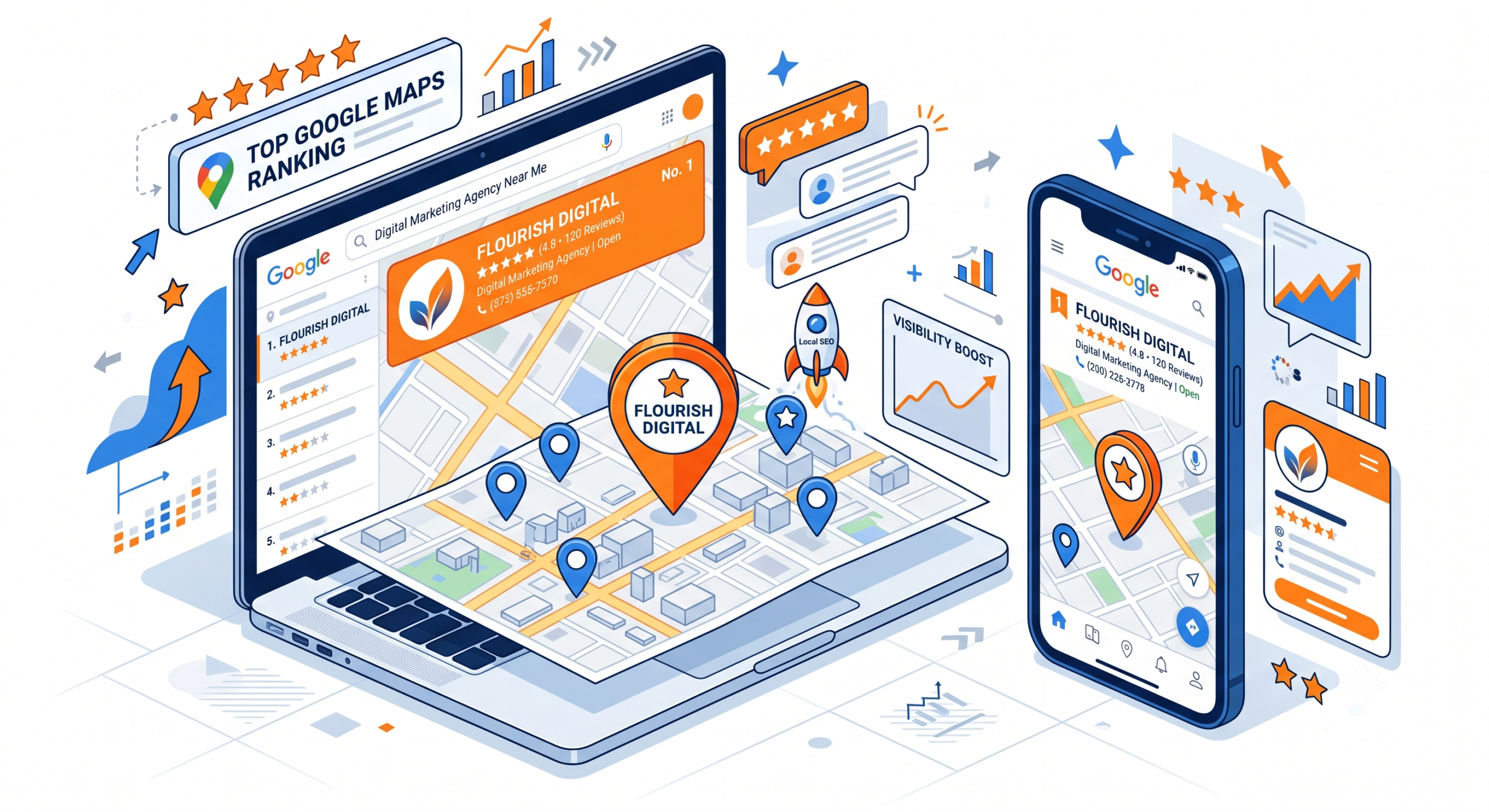
If you want your business to appear when customers search for services “near me,” your Google Business Profile is one of the most important assets you own.
An optimized profile helps your business appear in Google Search, Google Maps, voice search, and AI-powered search experiences. It also increases calls, website visits, direction requests, and customer trust.
Whether you run a local business, an agency, or manage multiple locations, optimizing your Google Business Profile is one of the fastest ways to improve your local visibility.
If you are new to local SEO, start with our Local SEO Services page to understand how local search works, then read our What Is Local SEO? The Complete Guide (2026) for a complete overview before implementing the strategies in this guide.
What is Google Business Profile Optimization?
Google Business Profile Optimization is the process of improving your business listing by adding accurate business information, selecting the right categories, optimizing services, publishing photos, collecting reviews, posting regular updates, and monitoring performance to increase visibility in Google Search and Google Maps.
Table of Contents
- What Is Google Business Profile?
- Why It Matters for Local SEO
- How Google Ranks Business Profiles
- Step-by-Step Google Business Profile Optimization
- Common Mistakes to Avoid Google Business Profile
- Checklist Frequently Asked Questions
What Is Google Business Profile?
Google Business Profile (formerly Google My Business) is a free business listing that allows companies to manage how they appear across Google Search and Google Maps.
Your profile can display:
- Business name
- Address
- Phone number
- Website
- Business hours
- Services
- Products
- Reviews
- Photos
- Videos
- FAQs
- Updates
- Booking links
Unlike a traditional website, your Google Business Profile often becomes the first interaction customers have with your business.
For many local searches, users make a decision without ever visiting your website.
Why Google Business Profile Matters for Local SEO
Google uses Business Profiles to determine which companies deserve visibility in local search.
A well-optimized profile helps you:
- Rank in the Local Pack
- Appear in Google Maps
- Increase phone calls
- Drive website traffic
- Generate direction requests
- Build customer trust
- Improve local brand awareness
- Increase conversions from local searches
For businesses serving a specific city or region, optimizing your profile is one of the highest-return local SEO activities.
How Google Ranks Google Business Profiles
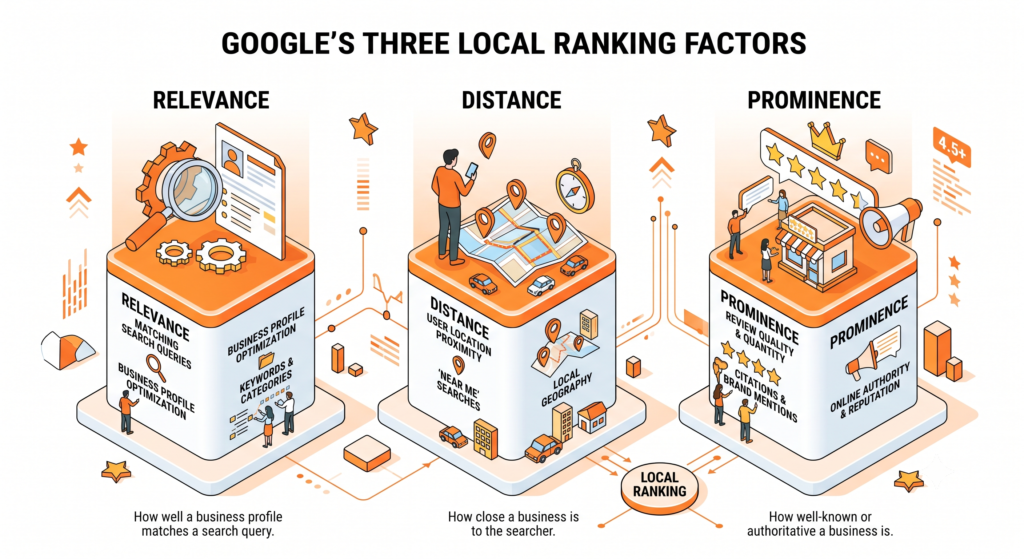
Google evaluates three primary factors when ranking local businesses.
1. Relevance
Google determines how closely your business matches a user’s search intent.
Improve relevance by:
- Choosing the correct business categories
- Writing a detailed business description
- Listing all services
- Adding relevant products
- Answering common customer questions
If you have not researched customer search intent yet, read our Local Keyword Research Guide to identify the keywords your audience actually uses.
2. Distance
Google considers how close your business is to the searcher’s location.
While you cannot change your physical location, you can improve your local relevance by maintaining accurate location information and creating localized content on your website.
3. Prominence
Prominence measures how well-known and trusted your business is online.
Google looks at signals such as:
- Customer reviews
- Average rating
- Review frequency
- Backlinks
- Local citations
- Brand mentions
- Website authority
This is why review generation and citation management play a significant role in local SEO.
Step-by-Step Google Business Profile Optimization
Complete Every Business Detail
Businesses with complete profiles appear more trustworthy and provide Google with stronger ranking signals.
Ensure your profile includes:
- Official business name
- Primary phone number
- Website URL
- Business address
- Business hours
- Holiday hours
- Business description
- Services
- Products
- Service areas
- Appointment links
Keep all information consistent with your website and business directories.
Choose the Right Categories
Your primary category has a major impact on your rankings.
Choose the category that best describes your primary service rather than selecting the broadest option.
Add secondary categories only when they accurately represent additional services.
Avoid category stuffing, as irrelevant categories can reduce your relevance.
Write an Optimized Business Description
Your description should explain:
- Who you help
- What services you offer
- Where you operate
- What makes your business different
Include your primary keyword naturally without keyword stuffing.
Example:
EarnEdge helps small businesses improve online visibility through Local SEO, Google Business Profile optimization, citation management, review management, and technical SEO solutions.
Add Every Service You Offer
Many businesses list only their primary service.
Instead, create individual service entries for every offering.
Example:
- Local SEO Services
- Google Business Profile Optimization
- Local Keyword Research
- Citation Management
- Reputation Management
- Local SEO Audits
Each service strengthens topical relevance.
Upload High-Quality Photos
Visual content increases trust and engagement.
Include:
- Office exterior
- Office interior
- Team members
- Work environment
- Before-and-after examples
- Projects
- Branded graphics
Businesses should update photos regularly instead of uploading them only once.
Publish Weekly Google Posts
Google Posts demonstrate that your business is active.
Post content such as:
- Industry tips
- Case studies
- Service updates
- Customer success stories
- Promotions
- Blog articles
Link relevant posts to your Local SEO Guide or Local SEO Services page to strengthen your website and profile connection.
Encourage Customer Reviews
Reviews influence both rankings and purchasing decisions.
Ask satisfied customers for feedback shortly after completing a project.
Respond to every review professionally, whether positive or negative.
Learn more in our Review & Reputation Management Guide, where we explain proven methods for increasing review volume while following Google’s guidelines.
Maintain Accurate Business Information
Your business name, address, and phone number should be consistent across your website, Google Business Profile, and online directories.
Inconsistent information can confuse search engines and customers.
Our Local Citation Management Guide explains how to audit and correct citation inconsistencies.
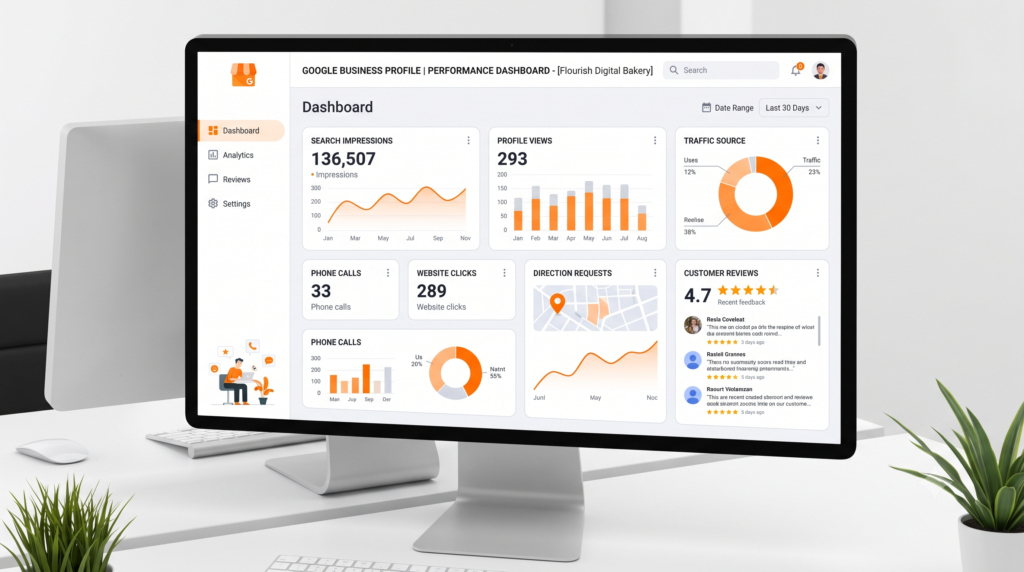
Monitor Performance
Optimization is not complete after publishing your profile.
Track metrics including:
- Profile views
- Website clicks
- Phone calls
- Direction requests
- Search impressions
- Customer actions
Our Local SEO Reporting Guide explains which KPIs matter most and how to build monthly reports.
Common Google Business Profile Mistakes
Many businesses lose rankings because of avoidable errors.
Avoid:
- Keyword stuffing your business name
- Selecting irrelevant business categories
- Using outdated contact information
- Ignoring customer reviews
- Uploading low-quality images
- Leaving services incomplete
- Inconsistent business information across directories
- Failing to update business hours
Regular profile maintenance is just as important as initial optimization.
Google Business Profile Optimization Checklist
Use this checklist before considering your profile fully optimized.
✅ Verify your profile
✅ Select the correct primary category
✅ Add secondary categories
✅ Complete every business detail
✅ Write a compelling business description
✅ Add all services
✅ Add products if applicable
✅ Upload high-quality images
✅ Publish weekly Google Posts
✅ Answer customer questions
✅ Collect reviews consistently
✅ Respond to every review
✅ Maintain consistent business information
✅ Track profile performance monthly
Frequently Asked Questions
How often should I update my Google Business Profile?
Review your profile at least once a month and publish updates weekly to keep your listing active.
Does posting on Google Business Profile improve rankings?
Posts may not directly increase rankings, but they improve engagement, freshness, and customer interaction, which support local visibility.
Can I optimize my Google Business Profile without a website?
Yes. A website is not required, but businesses with optimized websites generally achieve stronger local SEO performance.
How long does Google Business Profile optimization take?
Most businesses begin seeing measurable improvements within several weeks, although competitive markets may take longer depending on location and industry.
Final Thoughts
Google Business Profile optimization is one of the highest-impact activities for improving local search visibility. A complete, accurate, and regularly updated profile helps your business earn trust with both customers and search engines.
Treat your profile as an extension of your website rather than a one-time setup. Consistently updating business information, publishing posts, responding to reviews, and monitoring performance will strengthen your local presence over time.
If you’re building a complete local SEO strategy, continue with our Local Keyword Research Guide to learn how to identify high-intent search terms. Then explore our guides on Local Citation Management, Review & Reputation Management, and Local SEO Reporting to complete your local SEO foundation. For a broader overview, return to our What Is Local SEO? The Complete Guide (2026) or explore our Local SEO Services page to see how these elements work together.




7 Comments